Duplicate Detection
- Combined name, email, and phone matching evidence for each set of duplicates
- Side-by-side field comparison and a merged contact preview
- Keep Separate remembers your decision while contact details stay unchanged
Mac
Find duplicates, compare changes, and organize your address book on your Mac. A redesigned workspace keeps your contacts, cleanup tools, and operation history together.
See App Store for price · One-time purchase · No subscription
Workspace
Review35
Contacts
Organize
History
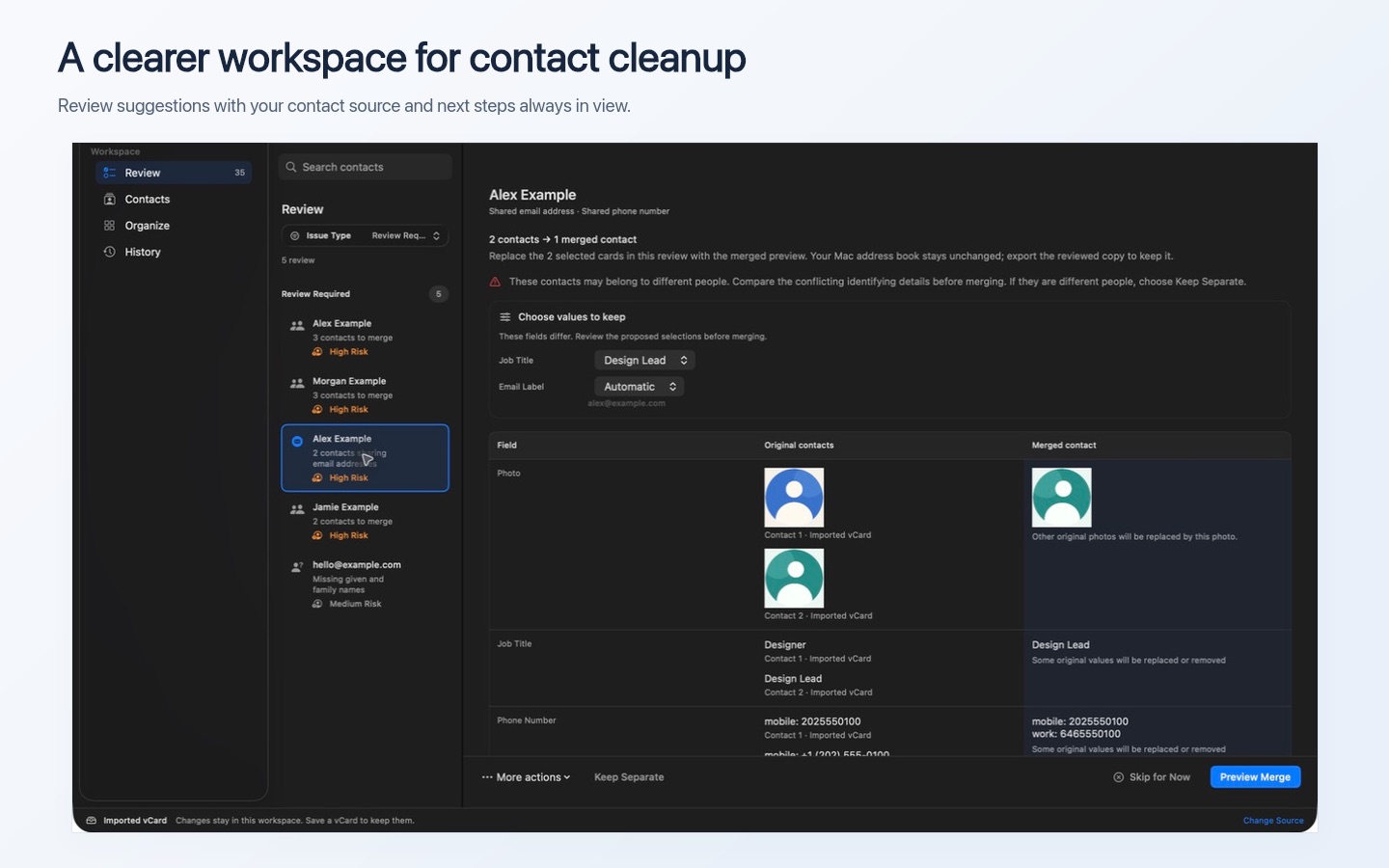
Search contacts
Review
Review Required5
Alex Example2 contacts to mergeHigh Risk
Morgan Example3 contacts to mergeHigh Risk
Jamie Example2 contacts to mergeHigh Risk
hello@example.comMissing given and family namesMedium Risk
Drew Example2 contacts to merge
Alex Example
Shared email addressShared phone number
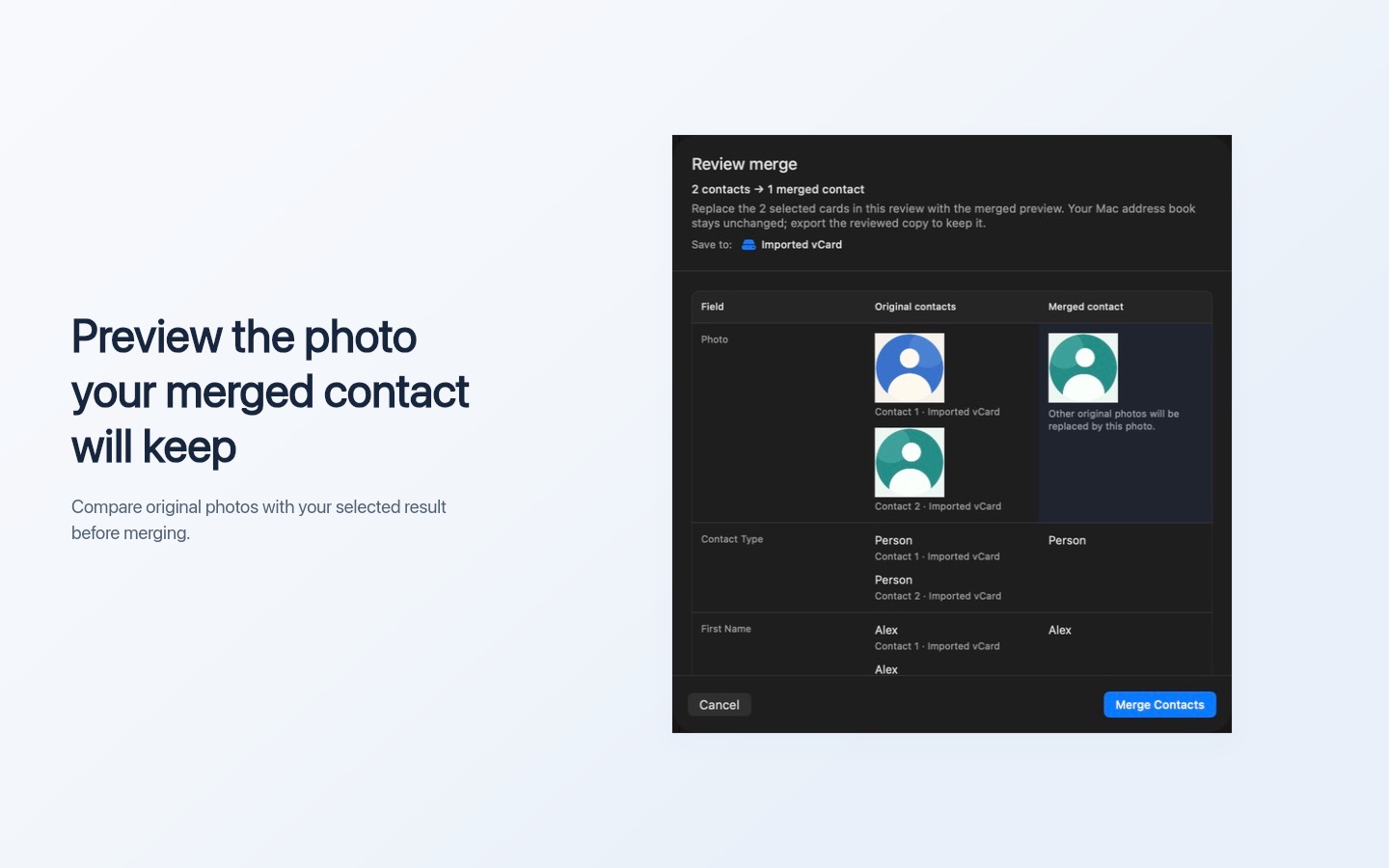
2 contacts 1 merged contact
These contacts may belong to different people. Compare the conflicting identifying details before merging. If they are different people, choose Keep Separate.
Choose values to keep
Job TitleDesign Lead
Contact 1 · Imported vCard
Job TitleDesigner
emailalex@example.com
mobile2025550100
Contact 2 · Imported vCard
Job TitleDesign Lead
emailalex@example.com
mobile+1 (202) 555-0100
work6465550100
Merged contact
NameAlex Example
Job TitleDesign Lead
emailalex@example.com
mobile+1 (202) 555-0100+12025550100
work6465550100+16465550100
Morgan ExampleNew in 6.2.0
3 contacts 1 merged contact
Notes · Original contacts
Contact 1Met at the neighborhood design meetup.
Contact 2Met at the neighborhood design meetup.
Contact 3Prefers a call after 2 PM.
Notes · Merged contact
Met at the neighborhood design meetup.
blank line
Prefers a call after 2 PM.
Identical Notes appear once
Distinct Notes, separated by a blank line
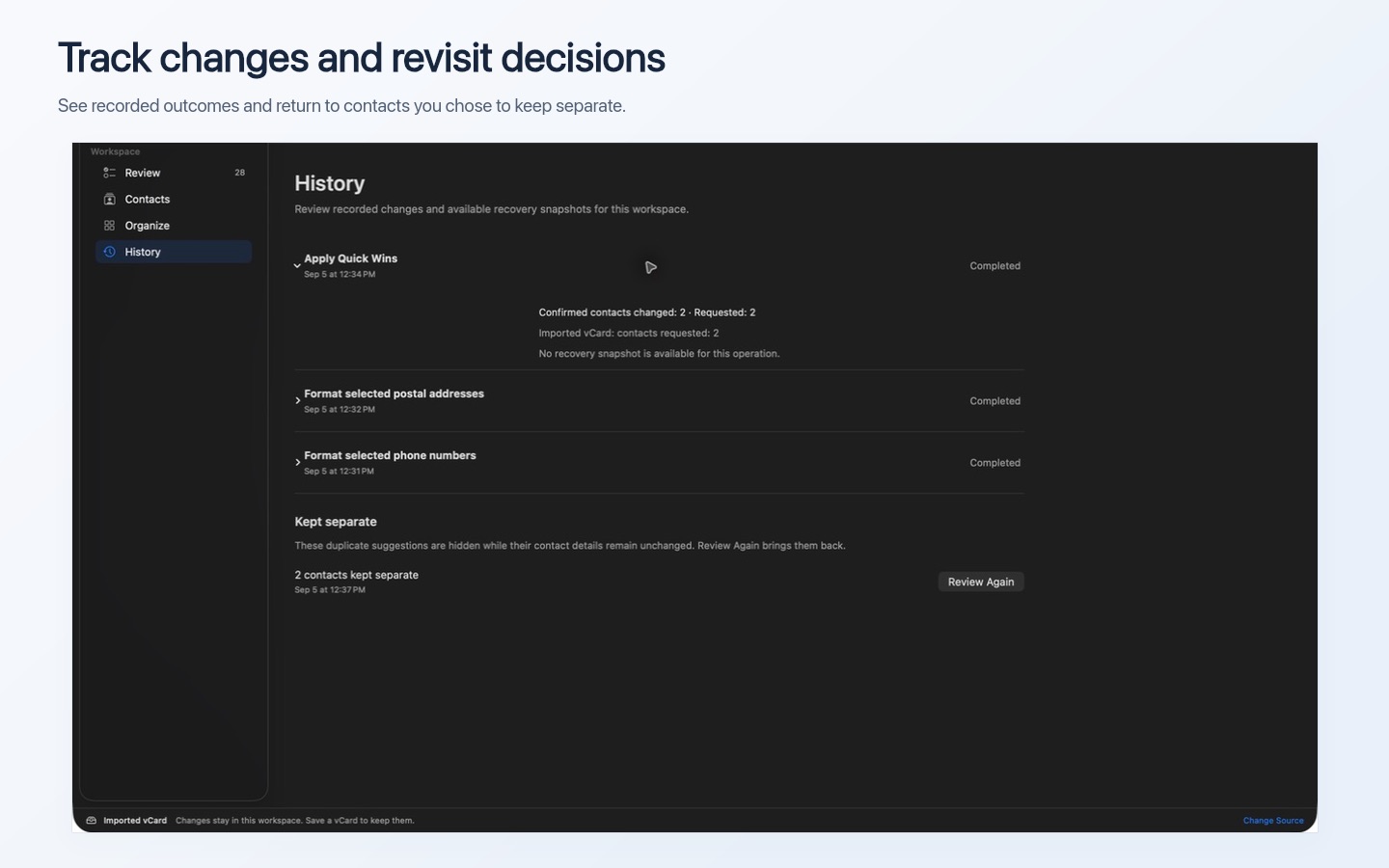
History
Recorded operation outcomes and contacts kept separate.
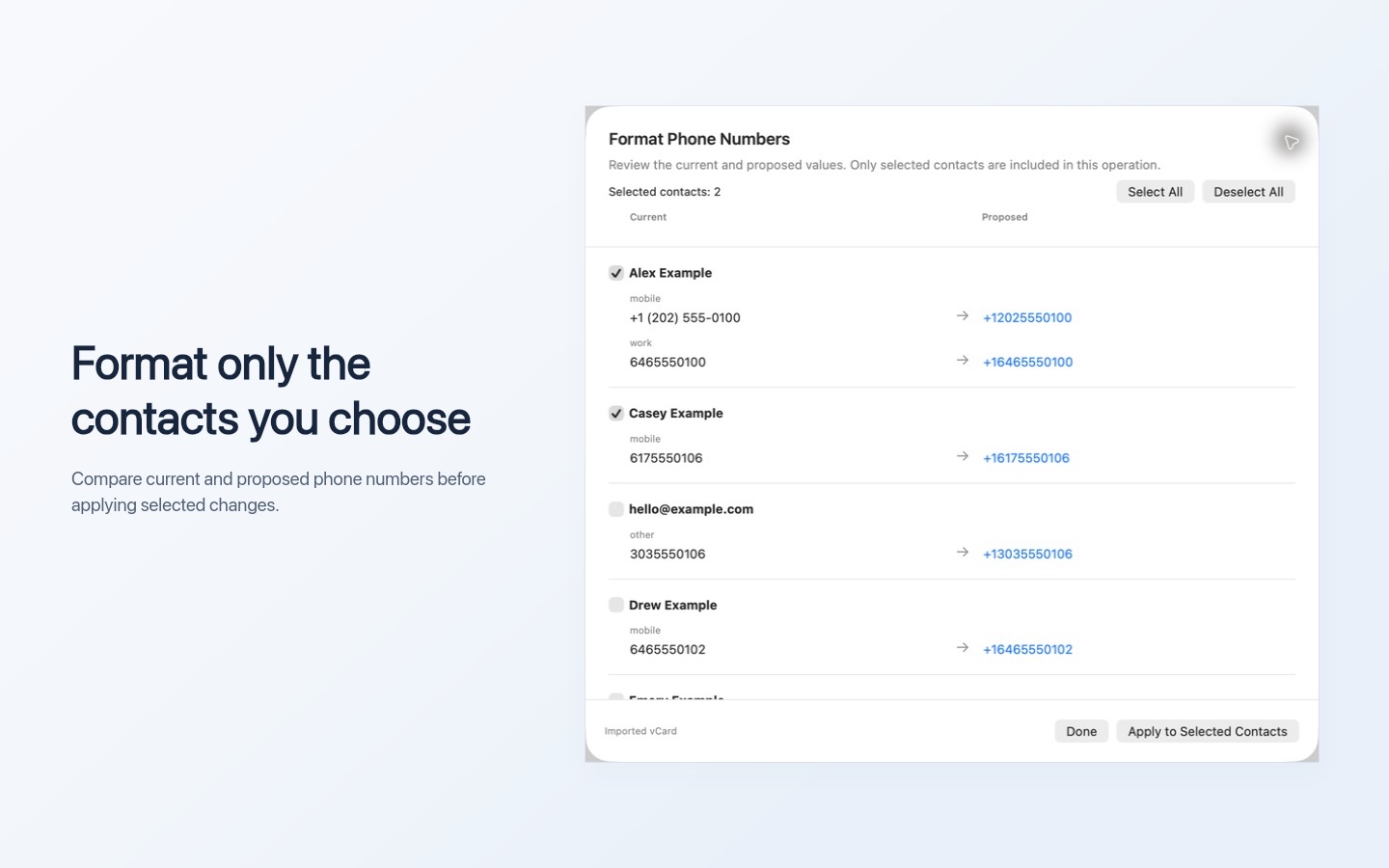
Format Phone Numbers
Review the current and proposed values. Only selected contacts are included in this operation.
Selected contacts: 2Select AllDeselect All
CurrentProposed
Alex Example
mobile+1 (202) 555-0100+12025550100+12025550100
work6465550100+16465550100+16465550100
Casey Example
mobile6175550106+16175550106+16175550106
Drew Example
mobile6465550102+16465550102
Imported vCardDoneApply to Selected Contacts
Screenshots
Explore the Review workspace, merge previews, Quick Wins, formatting tools, and History in version 6.0.0.
Read and edit contact Notes directly in Contacts Toolkit. Keep important context with your contacts as you review duplicates and organize your address book.
Review and edit the combined Notes in the merge preview. Identical Notes appear once, and distinct Notes are separated by blank lines.
Notes are preserved when you copy or move contacts between accounts.
New automatic backups include contact Notes. When a backup is available, recover saved contacts as copies from History.
Features
Everything you need to keep your contacts and groups clean, organized, and up to date.
Specifications
Built for macOS with privacy and performance in mind.
Age Rating: 4+ · English, German, Spanish, French, Italian, Japanese, Korean, Chinese, and more
Get Contacts Toolkit today and bring order to your address book.
One-time purchase · No subscription